
JJNG Login – A Familiar Way Back to Your JJNG Account
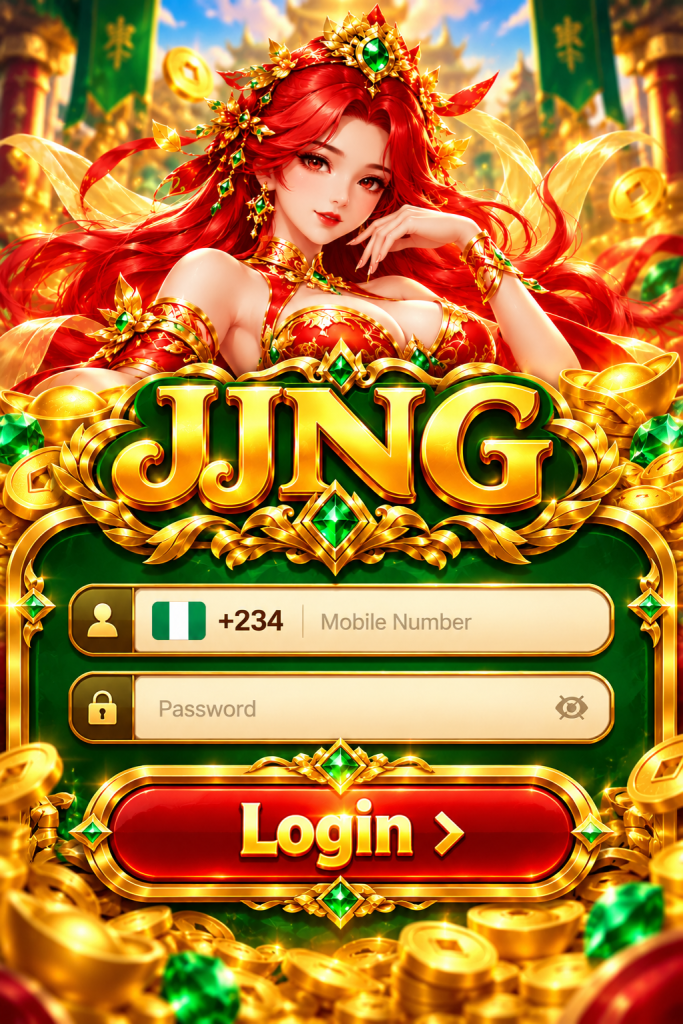
JJNG Login is the account access section of the JJNG online slot gaming platform, designed to help users in Nigeria return to their accounts, manage their personal information, and continue exploring available games. Whether you are signing in from an Android phone, an iPhone, or a desktop browser, understanding the correct login process can make everyday account access more straightforward.
At JJNG, we understand that returning players usually have a simple goal: open their accounts without unnecessary confusion. They may be checking their account details, looking for a familiar slot game, or continuing a previous browsing session. Whatever brings you back, the sign-in process should be clear, recognisable, and easy to follow.
JJNG Login: Keeping Your Account Within Easy Reach
A login page is more than a place to enter a password. It connects returning players with the account they have already created and helps maintain continuity between visits.
For JJNG users, the important part is knowing how to reach the correct sign-in page and understanding the information requested during authentication.
Some players prefer using a mobile browser, while others may use an Android application if an official version is available. The device may change, but the basic purpose of JJNG Login remains the same: allowing authorised users to access their own accounts.
| Login information | What JJNG users should know |
|---|---|
| Account access | Intended for existing JJNG account holders |
| Registered phone number | Use your account-linked number if supported |
| Nigeria country code | +234, where international formatting is required |
| Password | Enter the password associated with your account |
| Verification code | Complete additional verification when requested |
| Android access | Use a compatible browser or authenticated official application |
| iPhone access | Open the website through Safari |
| Account recovery | Follow the designated recovery instructions |
| Security | Never disclose passwords or verification codes |
We encourage players to use the confirmed JJNG website rather than unfamiliar links claiming to provide faster account access.
How to Log In to JJNG in Nigeria
Returning to JJNG should begin with the correct website address. Once you have reached the designated account page, follow the instructions displayed on your screen.
Step 1: Open the JJNG Website
Launch Chrome, Safari, or another compatible browser and enter the confirmed JJNG website address.
Before continuing, check that the address is correct. A website that looks similar to JJNG is not necessarily operated by the same organisation.
Step 2: Select JJNG Login
Find the Login option in the website navigation.
On mobile devices, it may appear near the top of the page or inside the main menu.
Select it to open the account authentication form.
Step 3: Enter Your Registered Account Details
Provide the account identifier requested by the login form.
If JJNG uses mobile numbers for authentication, enter the Nigerian number associated with your account. Some forms request the international country code +234, while others automatically apply it.
Use the format shown on the screen rather than assuming every form accepts the same number format.
Step 4: Enter Your Password
Type the password you created for your account.
Check for accidental spaces, incorrect characters, or unexpected capital letters.
If you use a password manager, confirm that it has selected the correct saved credentials.
Step 5: Complete Any Required Verification
The login system may request an additional verification code to confirm account ownership.
If prompted, follow the instructions provided through the official authentication process.
Never share a one-time password with another person, even if they claim to represent JJNG support.
Step 6: Access Your JJNG Account
After successful authentication, you can proceed to the account sections available to you.
Depending on the platform’s current features, these may include profile settings, account information, game categories, and other account-related functions.
Before making changes, check that your account details are correct.
Why JJNG Login Should Feel Familiar Every Time
People do not want to relearn a website each time they return.
A player who accessed JJNG yesterday should be able to recognise the same essential account functions today. Clear instructions, consistent labels, and a straightforward route to the login form all contribute to a more comfortable experience.
We believe that the best login guidance focuses on the questions people actually ask.
Where do I enter my phone number? What happens if I forget my password? Can I sign in on a different phone? Why am I being asked for a verification code?
These questions deserve practical answers rather than lengthy technical explanations.
At JJNG, our content aims to make account access understandable without assuming that every visitor has the same level of technical experience.
JJNG Login on Android and iPhone
Mobile access is important for many Nigerian users, but Android and iOS do not always use the same software.
The appropriate login method depends on the device and the access options officially supported by JJNG.
| Access method | Android phone | iPhone | Desktop |
|---|---|---|---|
| Browser login | Chrome or compatible browser | Safari or compatible browser | Compatible desktop browser |
| APK installation | Possible with an authenticated Android APK | Not supported | Not applicable |
| Account identifier | Registered details | Registered details | Registered details |
| Password verification | Supported where implemented | Supported where implemented | Supported where implemented |
| Home Screen shortcut | Browser-dependent | Available through Safari | Browser bookmark |
| Main consideration | App authenticity and browser compatibility | Mobile website compatibility | Browser and session security |
JJNG Login on Android
Android users can open the confirmed JJNG website through a compatible browser.
If JJNG provides an authenticated official Android application, users may also be able to access their accounts through that application.
Before installing an APK, confirm its publisher and source. Do not assume that a file is official merely because its name includes JJNG.
Once the login form appears, enter your registered account information and complete any required verification.
JJNG Login on iPhone
iPhone users can begin with Safari.
Open the JJNG website, select the Login section, and follow the account instructions.
If you visit regularly, Safari’s Add to Home Screen feature can create a convenient shortcut to the website.
This shortcut does not replace the authentication process. You may still need to sign in again when your session expires.
Android APK files cannot be installed directly on iOS devices.
Using Your Nigerian Mobile Number for JJNG Login
Mobile numbers are commonly used as account identifiers across online services in Nigeria.
If JJNG supports phone-number authentication, the number you enter must match the one associated with your account.
The Nigerian international country code is +234.
For example, a local number beginning with 0803 may be represented internationally as +234803 followed by the remaining digits. The initial zero is normally omitted when the +234 prefix is used.
However, the exact format accepted by JJNG depends on its login form.
If the country code is already selected, entering it again may cause an error. Read the field instructions before submitting your details.
Also remember that an active phone number may be important for account recovery or verification. Keep your registered contact information current through the account’s authorised settings.
When JJNG Login Does Not Work
Not every unsuccessful login indicates a serious account problem.
Sometimes the issue comes from an incorrect password, a browser session that has expired, or a temporary interruption in connectivity.
Understanding the likely cause can help you avoid repeated attempts that do not resolve the problem.
Incorrect Password
If the system reports that your credentials are incorrect, first check the information you entered.
Make sure the password belongs to the correct account and that your keyboard has not changed the characters.
Avoid repeatedly guessing passwords. Use the account recovery process if you cannot remember the correct one.
Verification Code Not Received
If the login process requests a code that does not arrive, check whether the registered phone number is correct.
Network delays can sometimes affect SMS delivery.
Wait for the period indicated by the verification screen before requesting another code.
If the problem continues, use the official recovery or support channel.
Login Page Keeps Reloading
A page that repeatedly reloads may indicate a browser, connection, or session problem.
Check whether your internet connection is stable.
You can also try closing the affected tab and opening the confirmed website again.
Avoid submitting the same login information continuously when the page is not responding properly.
Account Session Has Expired
Some online services end sessions after a period of inactivity or when security conditions change.
If JJNG asks you to sign in again, return to the official login page and complete the authentication process.
Do not use unfamiliar links promising to restore an expired session automatically.
Login Troubleshooting Guide
| Problem | Possible cause | Recommended action |
|---|---|---|
| Password rejected | Incorrect credentials | Check details or use account recovery |
| Phone number not recognised | Wrong format or account identifier | Review +234 formatting and registered details |
| OTP not received | Delivery delay or contact issue | Wait and follow official verification guidance |
| Blank login screen | Browser or connectivity problem | Check connection and browser compatibility |
| Repeated page refresh | Session or browser issue | Reopen the official website |
| Account temporarily inaccessible | Security or account restriction | Contact authenticated support |
| Unfamiliar login request | Possible phishing attempt | Stop and verify the website address |
Forgot Your JJNG Password? Here Is What to Do
Forgetting a password is common, especially when you use different credentials across several services.
The safest response is to use the account recovery method provided by the official website.
Open the JJNG Login page and look for a password recovery option, if available.
Follow the displayed instructions, which may require confirming your registered phone number or another account identifier.
After successful verification, create a new password that you have not used elsewhere.
A strong password should be difficult to guess and should not rely on publicly available personal information.
If the recovery option is unavailable or unsuccessful, contact JJNG through its authenticated support channel.
Do not pay an unknown individual to restore your account, and never share verification codes with anyone offering unofficial assistance.
Keeping Your JJNG Login Details Secure
Account security does not depend on passwords alone. It also involves recognising suspicious websites, protecting verification information, and paying attention to the devices you use.
Use a Unique Password
Avoid reusing the same password for JJNG and unrelated services.
If another website experiences a security breach, reused credentials may place multiple accounts at risk.
A reputable password manager can help you create and store unique passwords.
Never Share an OTP
A one-time password is intended for the person completing the authorised verification process.
Anyone asking you to send them an OTP may be attempting to access your account.
Do not share codes through WhatsApp, Telegram, SMS replies, or social media conversations.
Be Careful with Shared Phones
If you sign in from a borrowed device, do not allow the browser to save your credentials.
Sign out when you finish and close the relevant browser session.
For account changes involving sensitive information, using your own trusted device is preferable.
Check Links Before Signing In
A message may use the JJNG name or logo without being associated with the actual platform.
Look closely at the destination address before entering your password.
If you are uncertain, navigate independently to the confirmed website rather than opening the link.
JJNG Login and Account Continuity Across Devices
Some players use more than one device during the week.
You might browse games on an Android phone during the day and use a laptop later. Another player may move from an older phone to a newer iPhone.
In principle, an online account is associated with registered credentials rather than a particular screen size. However, simultaneous sessions, device restrictions, and account verification requirements depend on the actual platform settings.
When changing devices, use the same registered account information and follow any additional verification instructions.
If you receive a security alert about an unfamiliar device, do not ignore it. Review the notification through the official website and secure your account if necessary.
We recommend avoiding unnecessary account sharing. Each person should use only an account they are authorised to access.
What Can You Do After Signing In to JJNG?
Successful authentication is the beginning of an account session, not the end of the user experience.
Depending on the features currently available, a signed-in user may be able to browse games, review personal settings, update account information, or consult account history.
Before making changes, take a moment to understand the available menu options.
For slot games, review the individual rules and paytable rather than assuming every title works in the same way.
If financial transactions are supported, check the relevant conditions, fees, limits, and currency information before proceeding.
The goal is to make informed choices instead of rushing from login directly into gameplay.
Responsible Account Use at JJNG
JJNG is intended for adults who meet the legal requirements applicable to their location.
Signing in to a gaming account should never create pressure to spend money or continue playing.
Slot games involve chance and the possibility of financial loss. They should not be treated as a reliable way to earn income.
Set personal limits before playing, avoid using money needed for essential expenses, and take breaks when necessary.
If gaming begins to affect your finances, wellbeing, work, or relationships, consider stopping and seeking appropriate support.
A responsible approach to JJNG begins with understanding both the account and the risks associated with gambling.
JJNG Login Frequently Asked Questions
1. What is JJNG Login?
JJNG Login refers to the account sign-in process for existing users of the JJNG online slot gaming platform.
It allows authorised account holders to authenticate themselves and access the account features available to them.
The exact fields and verification requirements depend on the login system currently used by the platform.
For the safest experience, access the login page through the confirmed JJNG website.
2. How do I log in to JJNG using a Nigerian phone number?
Open the JJNG Login page and enter the registered phone number if the form supports mobile-number authentication.
Nigeria uses the international code +234.
If the form already displays +234, follow its instructions for entering the remaining digits. Otherwise, use the number format requested on the screen.
Enter your password and complete any additional verification before proceeding.
3. Can I use JJNG Login on both Android and iPhone?
You can use a compatible browser on either device if the JJNG website supports it.
Android users may have an additional application option if JJNG provides an authenticated official APK.
iPhone users can access the website through Safari, subject to browser compatibility.
The account authentication requirements remain determined by the platform, regardless of the device used.
4. Why is my JJNG password not working?
An incorrect password message may result from typing errors, outdated saved credentials, or using information associated with a different account.
Check the details carefully and avoid repeated guesses.
If you cannot remember the password, use the official recovery process.
If the issue continues, seek assistance through the platform’s authenticated support channel.
5. Is it safe to save my JJNG Login password in a browser?
Saving passwords can be convenient, particularly on a personal device protected by a strong screen lock.
However, saving account credentials on shared or public devices creates additional risks.
A reputable password manager is generally preferable to manually reusing simple passwords.
Always sign out when using a device that other people can access.
6. Can I stay logged in to JJNG?
Whether you can remain signed in depends on the website’s session settings and security policies.
Some sessions expire after inactivity, while others may require renewed authentication when device or security conditions change.
An expired session is not necessarily an account problem.
Return to the official JJNG Login page and sign in again when required.
7. What should I do if I suspect someone accessed my JJNG account?
Stop using suspicious links and navigate to the confirmed website.
Change your password through the authorised account process if access remains available.
Review any security notifications and contact official support to report the concern.
If the account uses the same password as another service, change that password there as well.
Never send account credentials or verification codes to someone claiming they can investigate the issue privately.
8. Do I need to download JJNG APK to log in?
Not necessarily.
If the JJNG website supports mobile browser access, you may be able to sign in without installing an Android application.
An APK is only relevant to compatible Android devices and should be installed only from an authenticated official source.
iPhone users should not attempt to install Android APK files.
9. Can I access JJNG Login from a different phone?
An account may be accessible from another compatible device using the registered credentials, subject to the platform’s device and security restrictions.
You may be asked to complete additional verification.
Use a trusted device whenever possible and avoid sharing your account details.
If you receive an unexpected security notification, verify it through the official website.
10. What should I do if JJNG Login is temporarily unavailable?
Check whether your internet connection is working normally and whether the website address is correct.
Avoid repeatedly entering your credentials when the page is unresponsive.
Wait briefly, reopen the confirmed website, and try again if appropriate.
If the issue continues, consult an authenticated platform announcement or support channel.
Do not assume that an unfamiliar alternative login link is safe simply because the main page is unavailable.
JJNG Login Should Be Simple to Understand and Safe to Use
JJNG Login connects returning players with their existing accounts, whether they prefer using an Android phone, an iPhone, or a desktop browser.
Our priority in explaining the login process is to make the important details easy to understand: where to sign in, which account information may be required, how to respond to access problems, and how to protect personal credentials.
For Nigerian players, familiar mobile access and clear instructions can make a meaningful difference to everyday account management.
Before entering your details, confirm the website address. When an error occurs, use the appropriate recovery process rather than relying on unknown third parties. Once signed in, take time to understand the available account functions and approach slot games responsibly.
A better JJNG experience starts with knowing how to access your account confidently and recognising when additional care is needed.